EDM Production Studio

Loop.
Perform.
Arrange.

GrooviXBeat is an EDM production studio. Clip launcher, piano roll, sample editor, arrangement timeline, VST instruments, and WAV export — everything you need to take an idea from first drop to finished track.

Platform Win / macOS
Feel Instant response
Learning curve Low
Beta Free
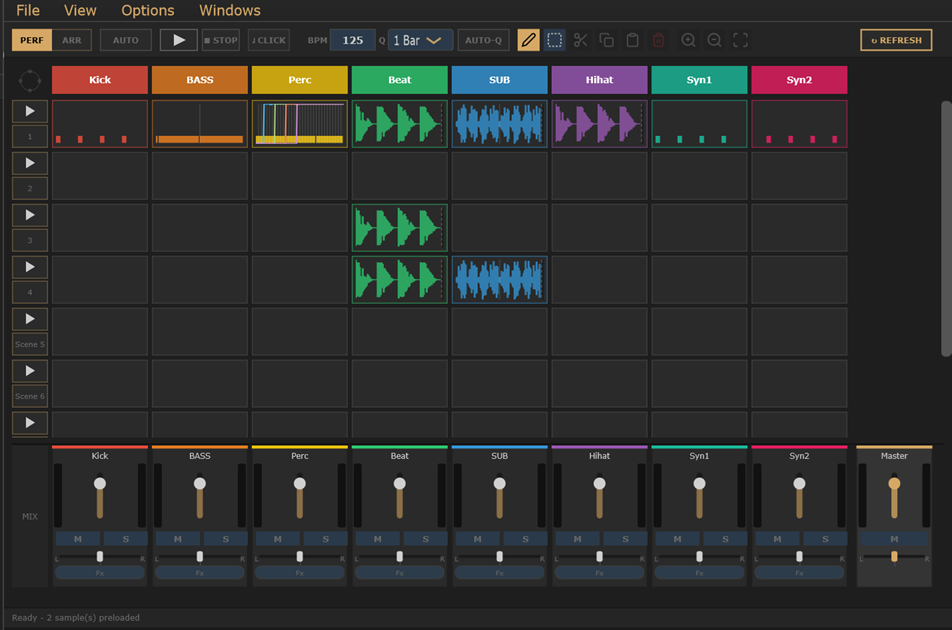
GrooviXBeat interface
Why We Built This
An EDM production studio built
from the ground up for EDM producers
not adapted from something else.

Most DAWs were designed for recording studios and then adapted for electronic music. GrooviXBeat was built the other way around — starting with the EDM workflow and building every tool around it.

Clip launching, beat-locked scene switching, sample time-stretching, piano roll melody writing, VST instruments, arrangement, mixing — it's all here in one focused app. No compromises, no workarounds.

Whether you're building a drop, sketching a bassline, or arranging a full track structure, GrooviXBeat keeps you moving from the first idea to the finished export.

Currently in public beta — free to download and use. The full feature set is available right now. Export your WAVs and MIDIs and take them anywhere you like.

Finally use those sample packs

Drag a folder of loops onto the grid and start auditioning immediately. BPM is matched automatically - no chopping, no warping, no manual setup.

Put your VSTs and presets to work

Load a melody track, pick your VST, and start sketching chord progressions and leads in the piano roll - without building a whole session around it first.

Capture ideas before they vanish

The whole point is speed. Open it, sketch a groove, loop it, try different scenes. When something works, export it and take it wherever you want to finish it.

Less setup, more music

No templates to maintain, no routing to configure, no plugin scanning on launch. Open it and it's ready. Close it and your project is saved exactly as you left it.

Features

Every tool you need.
Built for EDM.

GrooviXBeat gives you the complete EDM toolkit — from clip launching and beat building to melody writing, sample editing, and final arrangement — all in one focused studio.

Performance

Launch Clips Live

Drop loops and one-shots onto a grid of scenes and tracks. Hit play on any scene and everything fires together - on beat, every time. Perfect for live sets.

Arrangement

Build Your Full Track

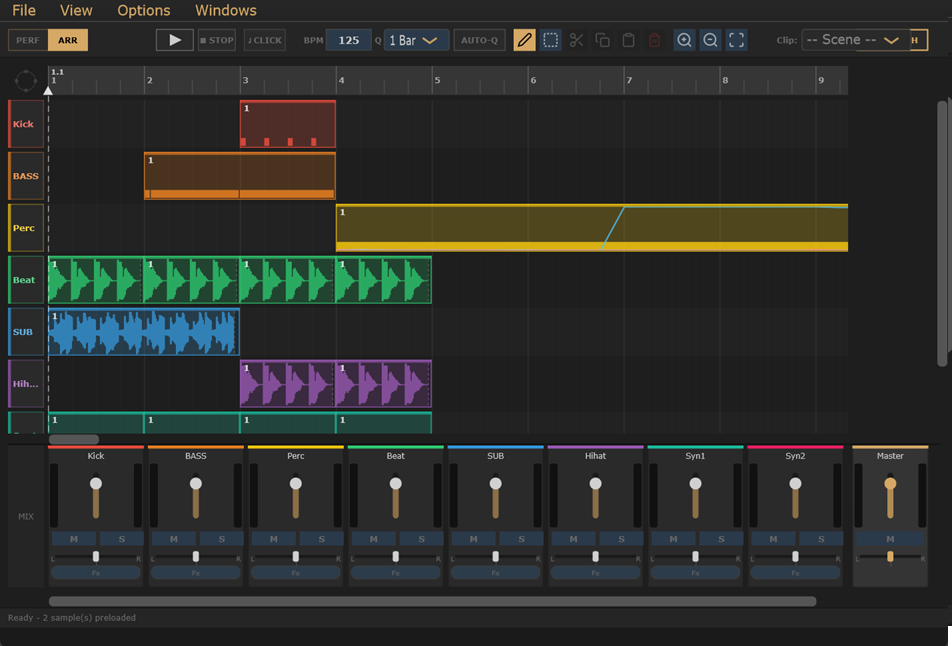
Drag your clips onto a timeline to build out an intro, drop, verse, and outro. When it sounds right, export it as a WAV file with one click.

MIDI

Write Melodies & Chords

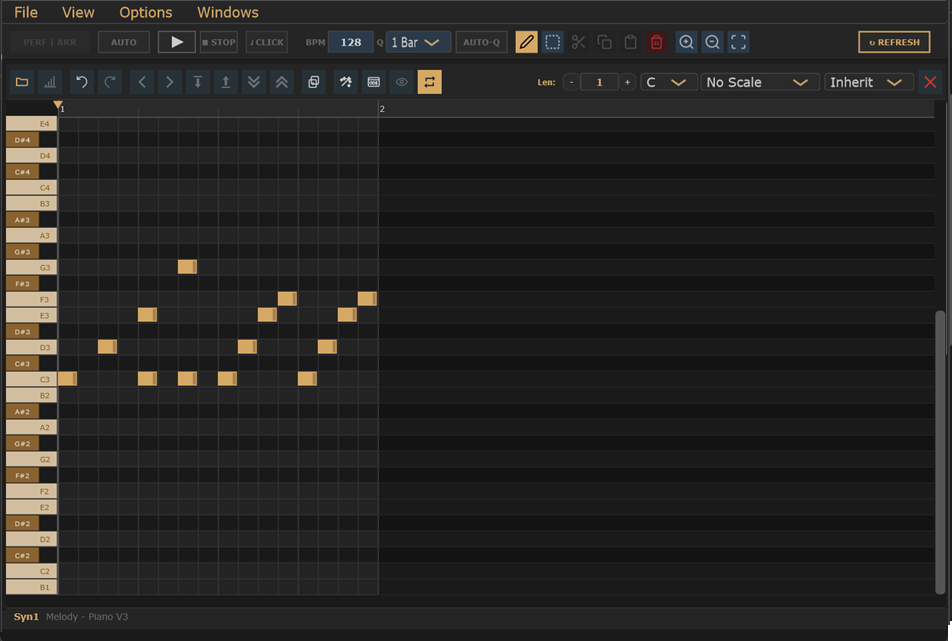
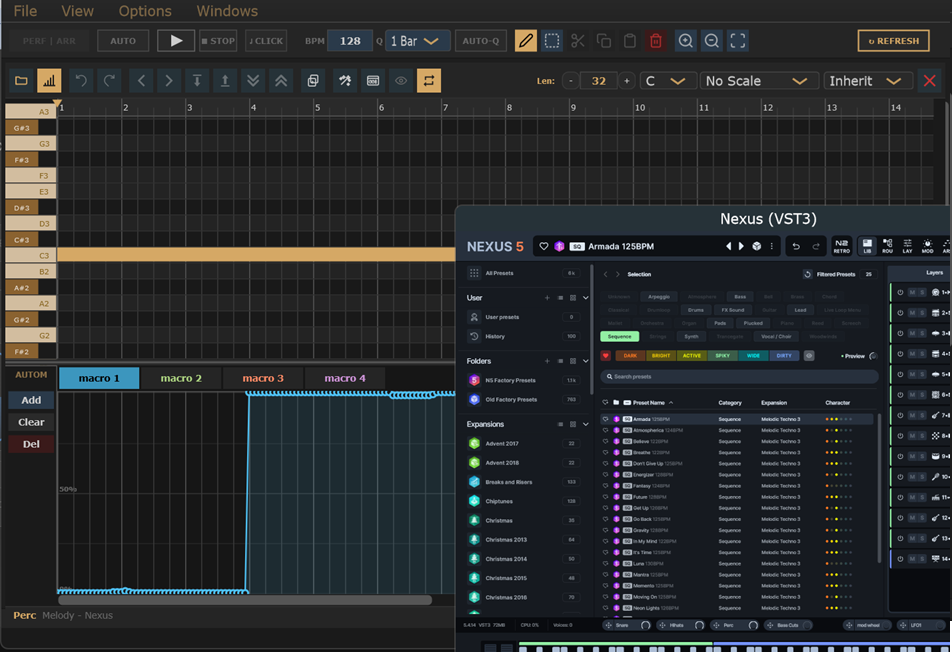
Click in notes on a piano roll, move them around, adjust lengths. Lock to a scale so every note you place sounds musical. Add velocity and automation curves.

Audio

Chop & Shape Samples

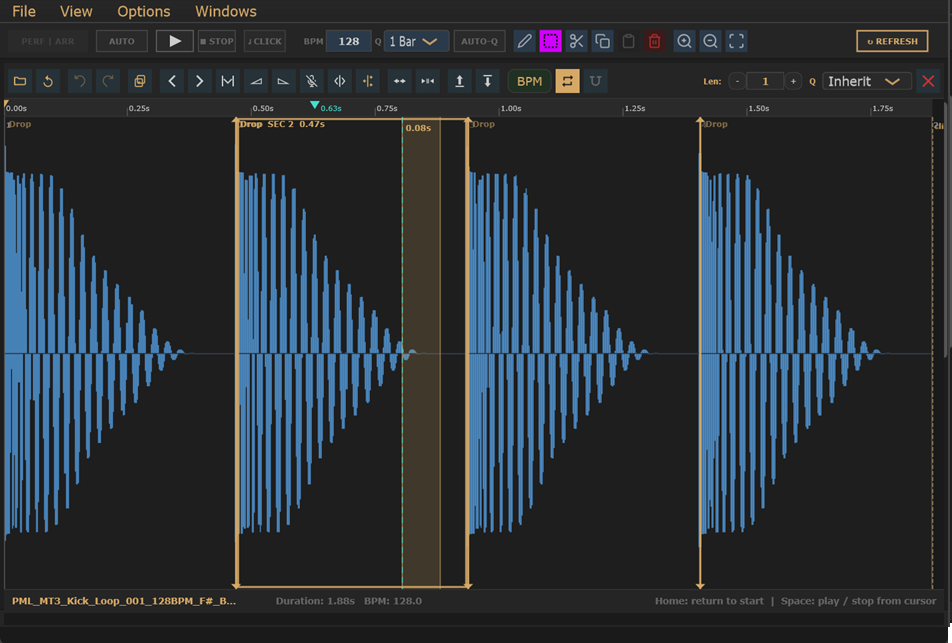
Trim the silence, add fades, cut and paste sections, and reverse your clips. Drop a sample at any tempo - GrooviXBeat stretches it to match your project BPM automatically.

Instruments

Drums, Synths & More

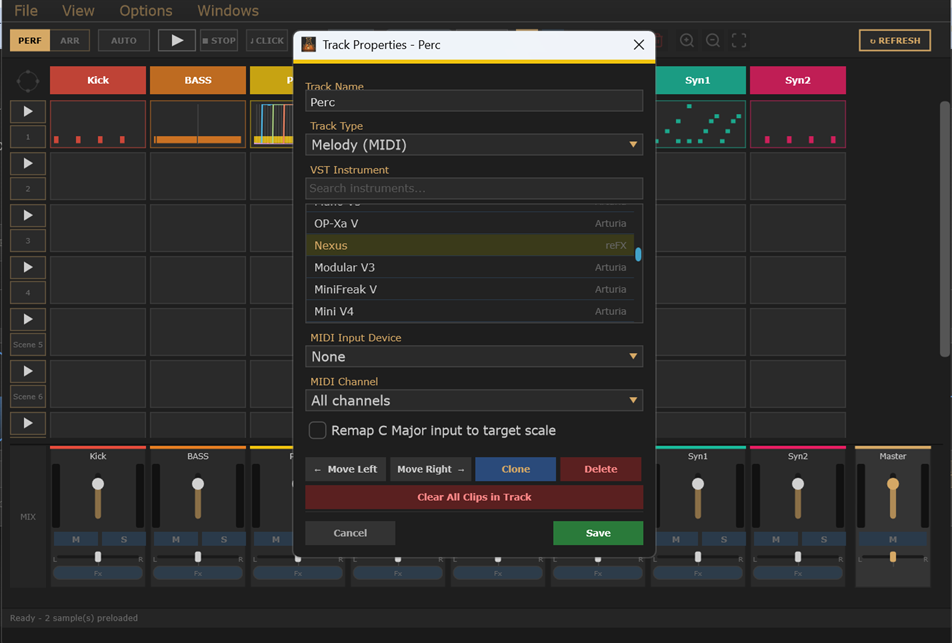
Each track can be a drum kit, a sampled instrument, or a melody synth - played from MIDI notes you write or an external keyboard. Bring your own plugins too.

Mix

Mix as You Go

Control every track's volume, pan, mute, and solo without opening a separate window. Dial in your levels while the music plays and save them with your project.

Workflow

From first idea
to finished track.

GrooviXBeat keeps you moving. Load sounds, play them live, then lock your best take into a full arrangement - all without switching apps.

01 - LOAD

Drop In Your Sounds

Drag your loops, one-shots, and samples straight onto the grid. GrooviXBeat reads the BPM automatically and snaps everything to your tempo - no manual time-stretching needed.

02 - PLAY

Play It Live

Trigger scenes and switch between them on the fly. Everything locks to the beat, so even mid-session swaps sound tight. Use Auto-Advance to let the software sequence your scenes for you.

03 - FINISH

Arrange & Export

Move your best clips onto the arrangement view to sketch out a full song structure. Hit export and get a finished stereo WAV, ready to share or drop into any DAW.

Interface

Clean views.
Fast decisions.

Each view shows you exactly what you need for that part of the process. No clutter, no hunting through menus - just your music.

GrooviXBeat . Performance Mode
GrooviXBeat Performance Mode
GrooviXBeat . Arrangement View
GrooviXBeat Arrangement View
GrooviXBeat . Piano Roll - LEAD_MELODY
GrooviXBeat Piano Roll
GrooviXBeat . Sample Editor - BASS_LINE.wav
GrooviXBeat Sample Editor
GrooviXBeat . VST Instrument Track
GrooviXBeat VST
GrooviXBeat . Automation Lanes
GrooviXBeat Automation
Why It Feels Different

Fast, stable, and
out of your way.

GrooviXBeat is built to respond the moment you touch it - no loading spinners, no lag, no crashes mid-session. The software disappears so the music can take over.

Tight
Clips and scenes lock to the beat - even mid-performance swaps stay in time
QUANTIZED LAUNCH . ON-BEAT ALWAYS
Fast
Opens in seconds. Every action responds instantly - no buffering, no waiting
NATIVE APP . NO WEB RUNTIME
Smart
Drop any loop in - BPM is detected automatically and the clip is stretched to fit
AUTO BPM DETECT . AUTO TIMESTRETCH
Open
Works with the plugins and sounds you already own - no locked ecosystem
VST PLUGINS . WAV EXPORT . MIDI OUT
Beat-locked clip launching
Auto BPM detection
Auto tempo timestretch
Windows & macOS
Drag & drop audio
Your own VST plugins
WAV export
MIDI keyboard support
Per-track effects
Automation curves
Scale lock for melodies
Drum kit tracks
Sampled instruments
Beta is free
Download

Start making EDM today.

The beta is free — no subscription, no account required. Download, open it, and start producing.

Premium sample packs and hardware integrations from popular sources are coming soon.

No account needed . No subscription . Works offline . Beta is free

Contact

Get in touch.

Have a question, feedback, or just want to say hello? We'd love to hear from you.

Email contact@groovixlabs.com